Community guide - made by users for users.

Editor guide

A quick visual guide to editing Orbit - for contributors and ambassadors. No code needed: edit your market’s guide, add blocks, and publish.
Download PDFBack to community

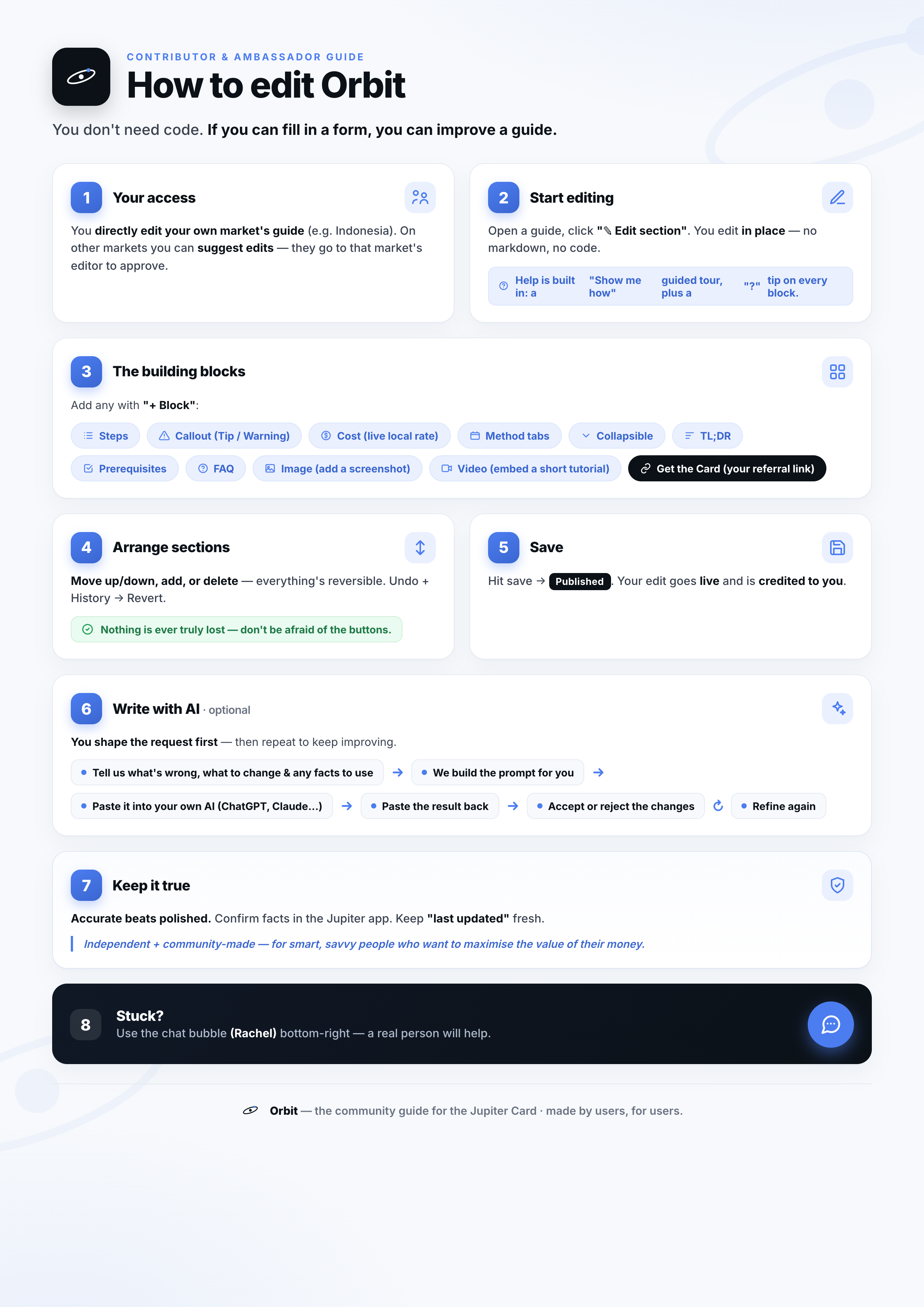
How to edit Orbit - an 8-step visual guide for contributors and ambassadors: (1) your access - directly edit your own market's guide or suggest edits elsewhere; (2) start editing - open a guide and click Edit section to edit in place; (3) the building blocks - Steps, Callout, Cost line, Method tabs, Collapsible, TL;DR, Prerequisites, FAQ, Image, Video and the Get-the-Card button; (4) arrange sections - move, add or delete, all reversible with undo and history; (5) save - hit Save and your edit goes live and you're credited; (6) write with AI - tell it what to change, build the prompt, paste the result, accept or reject, refine again; (7) keep it true - confirm facts in the Jupiter app and keep Last updated fresh; (8) stuck - use the chat bubble to reach a real person.

Prefer a print-friendly copy? Download the PDF.

Editor guide - how to edit Orbit